
Documentation:Form Builder/Log in and Log Out (How to)

|
Need help? Have some feedback? formbuilder.support@ubc.ca |
In order to access Form Builder, you will need to login with your CWL.
This page will show you how to:
- Log in
- Log out
Log in
- Go to http://formbuilder.ctlt.ubc.ca.
- Click the CWL button (
 ) on the left-hand side.
- Enter your CWL username and password.
- Click Continue.


Log out
- Click the Logout Button (
 ) at the top-right corner of the window.
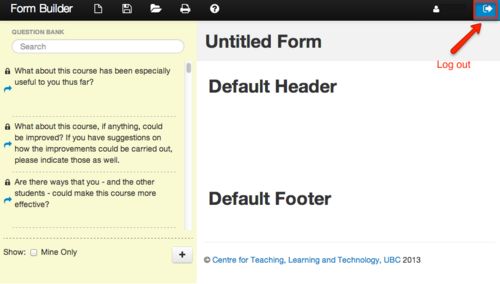
The logout button is located at the top-right corner of any page.

